Ginger: AI grammar and style checker for Practical Writing Workflows (2026)
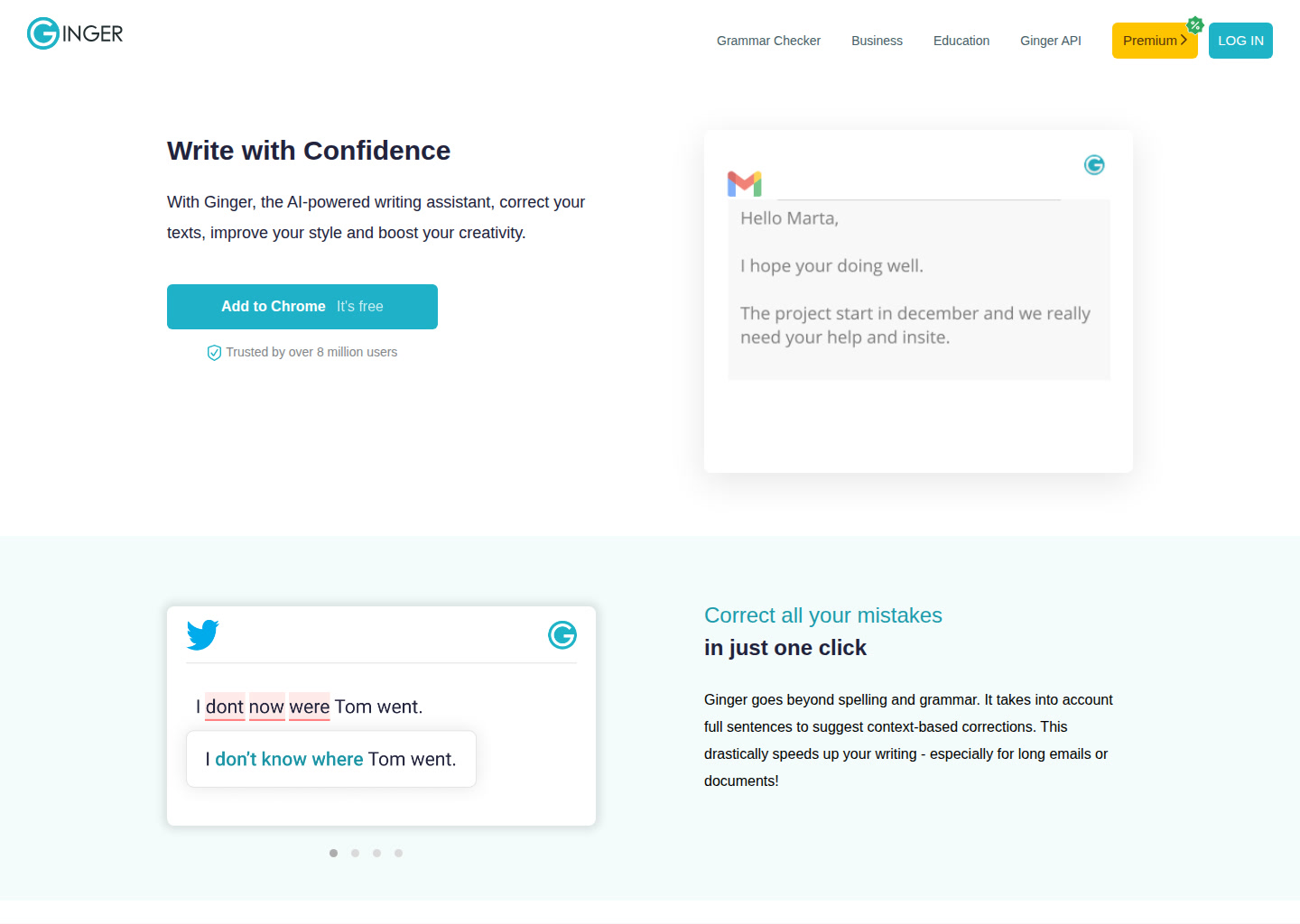
Ginger is a ai grammar and style checker built for general writers, business users, students, and multilingual users. Its clearest differentiator is that it focuses on grammar corrections, rewrites, sentence rephrases, and readability improvements instead of trying to be a generic AI workspace. It is a strong fit if you already know the writing job you need to finish and want faster execution, cleaner output, or less manual friction. It is a weaker fit if you need heavy team workflow, full SEO planning, or a broad all-in-one content operating system.
Ginger: Key Specs at a Glance
| Primary use case | AI grammar and style checker |
|---|
| Best for | Students, professionals, and non-native English speakers who want lightweight grammar help across browser and desktop writing flows. |
|---|
| Editor type | Browser extensions plus desktop apps and web editor |
|---|
| Target user | General writers, business users, students, and multilingual users |
|---|
| Output types | Grammar corrections, rewrites, sentence rephrases, and readability improvements |
|---|
| Language support | English writing support plus built-in translation utilities |
|---|
| Integrations | Chrome, Edge, Windows, Mac, and browser-based writing surfaces |
|---|
| SEO features | None |
|---|
| Plagiarism check | Not publicly documented on the official pages used in this run |
|---|
| Grammar check | Built in |
|---|
| Template library | Not publicly documented |
|---|
| Collaboration | Team plans are available for business accounts |
|---|
| Pricing model | Freemium subscription |
|---|
| Free plan | Yes. The official pricing FAQ says Ginger has a free version with essential functionality, but no free trial. |
|---|
| Paid plans | Official pricing page exposes Monthly $6.50, Quarterly $14.97 billed once, Annual $45 billed once, and 2 years $72 billed once under the current promo. |
|---|
What Ginger Does Well
Context-aware corrections
Ginger explicitly says it goes beyond spelling and grammar by looking at full sentences, which makes it more useful for clarity edits than a raw spellchecker.
Fast rewrite support
The official site promotes a dedicated sentence rephraser, so users can tighten clunky sentences without opening a separate rewriting tool.
Cross-surface convenience
Chrome, Edge, Windows, and Mac support make Ginger a practical always-on checker for people who write in many different apps instead of one central editor.
Known Limitations
- Ginger is stronger at sentence cleanup than at long-form planning, so it is less useful than full content generators when you need an outline, draft, and revision flow in one tool.
- The product is extension-first, which is convenient for quick edits but weaker for teams that want a deeper editorial workspace with approvals and shared style systems.
- Its pricing is affordable, but the public site is more focused on grammar and rewrite utility than on enterprise workflow governance or deep SEO writing controls.
- Writers who need research-backed outputs, citations, or structured long-form generation will outgrow Ginger faster than they would a more comprehensive writing platform.
Best For: Who Should Use Ginger
- Students, professionals, and non-native English speakers who want lightweight grammar help across browser and desktop writing flows.
- Good fit when your workflow depends on grammar corrections, rewrites, sentence rephrases, and readability improvements.
- Useful for general writers, business users, students, and multilingual users who prefer a browser extensions plus desktop apps and web editor.
- Works best when you plan to edit the output manually instead of publishing it untouched.
Who Should Look Elsewhere
- Skip Ginger if you need a full AI content generator that can produce blog posts or essays from scratch.
- Skip Ginger if your team needs built-in SEO briefs, keyword scoring, or SERP-driven optimization.
- Skip Ginger if you mainly care about collaborative editorial workflow rather than sentence-level quality fixes.
Pricing and Cost at Scale
Yes. The official pricing FAQ says Ginger has a free version with essential functionality, but no free trial.
Official pricing page exposes Monthly $6.50, Quarterly $14.97 billed once, Annual $45 billed once, and 2 years $72 billed once under the current promo.
Not publicly documented on the official pages used in this run
What Users Are Saying
The public third-party footprint for Ginger in this run was strongest on the validated review and analysis links below. That gives enough external discussion proof for a draft listing, but buyers should still compare live official pricing and workflow details before choosing it.
Official Social and Brand Footprint
linkedin: https://www.linkedin.com/company/ginger-software/, facebook: https://www.facebook.com/GingerProofreader/
FAQ
Is there a free plan?
Yes. The official pricing FAQ says Ginger has a free version with essential functionality, but no free trial.
What is the main paid trade-off?
Official pricing page exposes Monthly $6.50, Quarterly $14.97 billed once, Annual $45 billed once, and 2 years $72 billed once under the current promo.
Who gets the most value from this tool?
Students, professionals, and non-native English speakers who want lightweight grammar help across browser and desktop writing flows.
When should you skip it?
Skip Ginger if you need a full AI content generator that can produce blog posts or essays from scratch.
Final Verdict
Ginger belongs in AIWritersTools because it serves a clear writing workflow, has an accessible official site, and enough public proof to support a useful buyer-decision page. It is worth shortlisting when its strongest workflow matches your writing job, but it should still be compared against broader writing suites if you need more than its core use case.