Copylime: AI copywriting assistant for Blog articles and conversion-focused copy (2026)
Copylime is a AI copywriting assistant by Copylime. Its clearest differentiator is that it focuses on blog articles and conversion-focused copy instead of pretending to solve every writing workflow equally well.
Bloggers, solo marketers, and ecommerce operators who want fast first drafts across blog, email, and ad workflows.
Skip Copylime if your team needs an academic writing assistant with citations and source-grounded drafting.
Copylime: Key Specs at a Glance
| Primary use case | Blog articles and conversion-focused copy |
|---|
| Best for | Bloggers, solo marketers, and ecommerce operators who want fast first drafts across blog, email, and ad workflows. |
|---|
| AI model | Not publicly documented |
|---|
| Editor type | Browser-based AI writing suite with task-specific generators |
|---|
| Output types | Blog articles, article sections, emails, headlines, listicles, product descriptions, ads, and landing-page copy |
|---|
| Template library | 35+ writing tools are highlighted across article, sales, ad, email, and website use cases |
|---|
| SEO features | SEO-optimized article writer and SEO meta description generator |
|---|
| Plagiarism check | Not publicly documented |
|---|
| Grammar check | Rewrite and paraphrase tools are visible, but no dedicated grammar suite is documented |
|---|
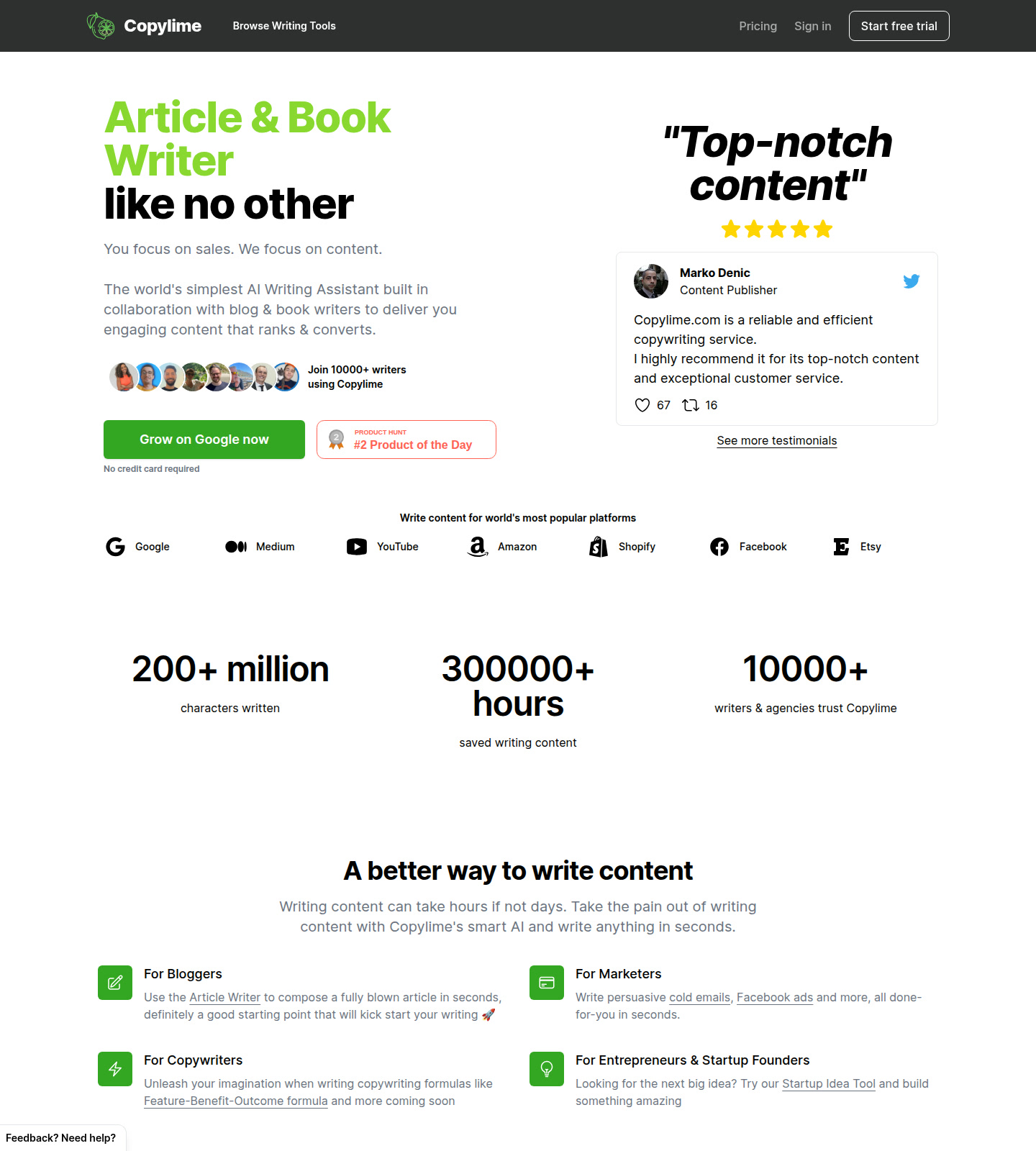
| Integrations | Outputs target platforms like Google, Medium, YouTube, Amazon, Shopify, Facebook, and Etsy; direct integrations are not publicly documented |
|---|
| Language support | Not publicly documented |
|---|
| Collaboration | Not publicly documented beyond a single-seat unlimited plan |
|---|
| Pricing model | Paid subscription with a free trial, plus some one-time tool purchases |
|---|
| Free plan | No permanent free plan is documented on the accessible pages, but the site prominently offers a free trial. |
|---|
| Paid plans | The official pricing view shows an Unlimited plan at $29 per month billed annually at $348 for one user seat, plus one-time paid tools at $10, $20, and $30. |
|---|
What Copylime Does Well
Broad copy format coverage
Copylime covers blog posts, email, ads, product descriptions, and landing-page hero text from one interface, which helps small teams avoid hopping between narrow single-use generators.
Useful for SEO-first blogging
The site explicitly promotes SEO-oriented article writing and meta-description generation, so it fits bloggers who need drafts that map to organic search workflows rather than only social snippets.
Lightweight buying decision
The main commercial choice is easy to understand from the public page: try the product, then decide whether the annual unlimited seat is enough or if one-time tools cover a narrower need.
Known Limitations
- Copylime appears optimized for speed and breadth, so teams needing approvals, comments, or formal content operations will still need a separate editorial system.
- The accessible pricing view is clear on the unlimited seat but lighter on usage ceilings, which makes large-scale cost modeling less precise than a transparent credit system.
- The product looks strongest for first drafts and promotional copy, not for research-heavy writing that needs citations, source handling, or fact-check workflows.
- Language support, model details, and advanced integrations are not clearly documented on the accessible pages, so technical buyers should verify those needs before rollout.
Best For: Who Should Use Copylime
- Bloggers, solo marketers, and ecommerce operators who want fast first drafts across blog, email, and ad workflows.
- It fits bloggers, copywriters, small businesses, and founders who work mainly on blog articles, article sections, emails, headlines, listicles, product descriptions, ads, and landing-page copy.
- It works best when the buyer wants a browser-based ai writing suite with task-specific generators rather than a blank generic chatbot.
- It still expects a human editor to verify facts, polish tone, and make final publication decisions.
Who Should Look Elsewhere
- Skip Copylime if your team needs an academic writing assistant with citations and source-grounded drafting.
- Skip it if you want a deep collaborative content workspace with roles, approvals, and brand-governance controls.
- Skip it if your biggest need is SEO optimization on existing drafts rather than fast generation of new copy.
Pricing & Cost at Scale
No permanent free plan is documented on the accessible pages, but the site prominently offers a free trial.
The official pricing view shows an Unlimited plan at $29 per month billed annually at $348 for one user seat, plus one-time paid tools at $10, $20, and $30.
The accessible pricing view does not expose a credit ledger; the main buyer tradeoff is between the annual unlimited seat and separate one-time tool purchases.
Workflow Fit
Copylime is more about getting to a usable draft fast than about deep collaboration or enterprise governance.
Compared with a generic AI writer, this tool makes the most sense when the buyer's main friction matches the use case above instead of needing a universal content studio.
What Users Are Saying
This run searched for community and review links, but the accessible candidates did not validate cleanly with curl from this environment.
- No external community or review URLs validated with curl in this run; rely on the official sources below for product facts.
FAQ
Is there a free plan?
No permanent free plan is documented on the accessible pages, but the site prominently offers a free trial.
What does the paid pricing look like?
The official pricing view shows an Unlimited plan at $29 per month billed annually at $348 for one user seat, plus one-time paid tools at $10, $20, and $30.
Who gets the most value from this tool?
Bloggers, solo marketers, and ecommerce operators who want fast first drafts across blog, email, and ad workflows.
When should you skip it?
Skip Copylime if your team needs an academic writing assistant with citations and source-grounded drafting.
What is the biggest limitation?
Copylime appears optimized for speed and breadth, so teams needing approvals, comments, or formal content operations will still need a separate editorial system.
Sources